BlueMaple HXM Pitstop - Supplier
By We Support on July 20, 2023
BeginnerSupplier
Suppliers are companies or individuals who provide you with products or services.
To access the Supplier list, go to:
Home > Buying > Supplier > Supplier
or
Type Supplier in search entry
1. How to create a Supplier
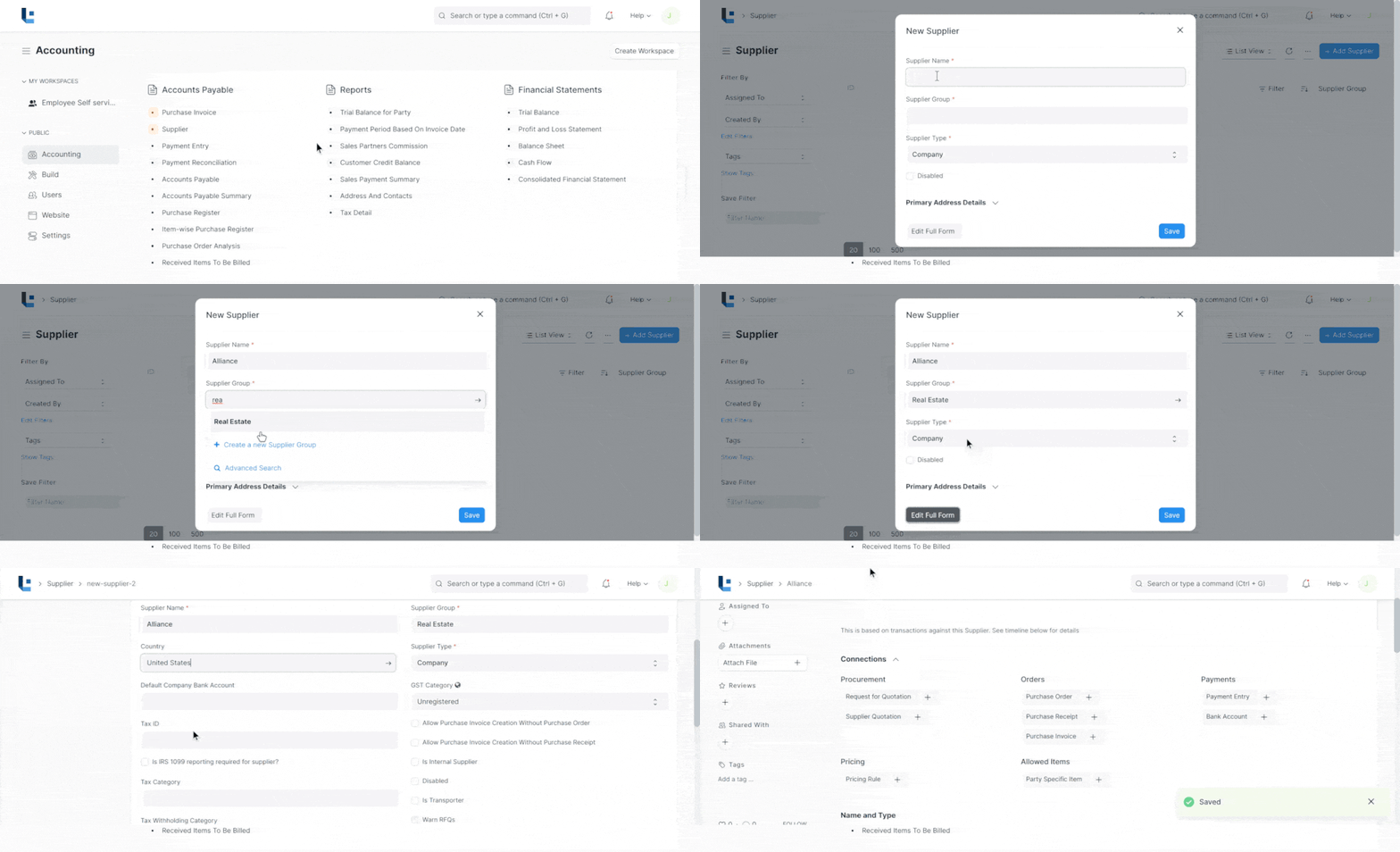
- Go to the Supplier list and click on New.
- Enter a name for the supplier.
- Select the supplier group as "Services".
- Enter the Supplier type as "Company".
- Enter the tax id of the supplier
- Save
2. Features
2.1 Default Payable Accounts
Add the default account from which invoices against this supplier will be paid.
For all Suppliers, "Creditor" account is set as the default payable Account.
2.3 Address and Contacts
Contacts and Addresses are stored separately so that you can create multiple Contacts and Addresses for one Supplier. Once Supplier is saved, you will find the option to create Contact and Address for that Supplier.
2.4 After saving
Once all the necessary details are filled, save the document. On saving, options to create the following will be seen in the Dashboard:
- Request for Quotation
- Supplier Quotation
- Purchase Order
- Purchase Receipt
- Purchase Invoice
- Payment Entry
By clicking on the View button, you can view the Accounting Ledger or Accounts Payable directly for this supplier.
No comments yet. Login to start a new discussion Start a new discussion